Importing & Exporting Rules
This guide explains how to import and export firewall rules using the NetFoundry zLAN Console.
Viewing All Rules
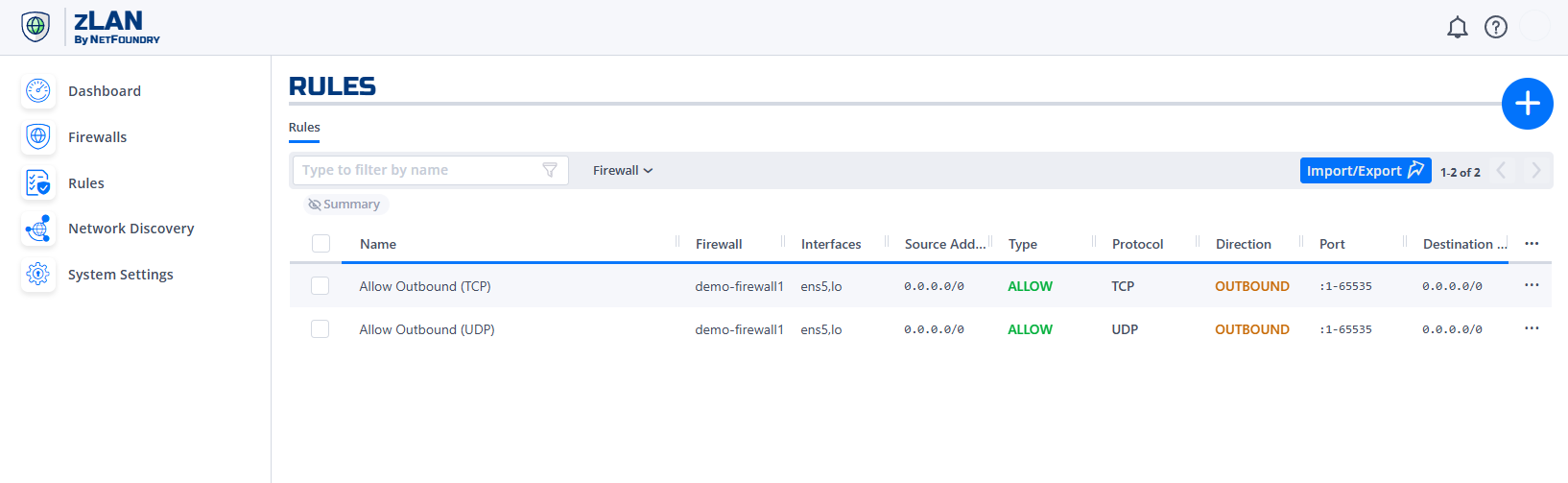
The Rules page lists all existing firewall rules in a table view. You can filter, sort, and search the rules. Use this view to verify the current configuration before exporting or importing.
Exporting Rules
To export the current rule set, click the Import/Export button at the top right of the Rules page.

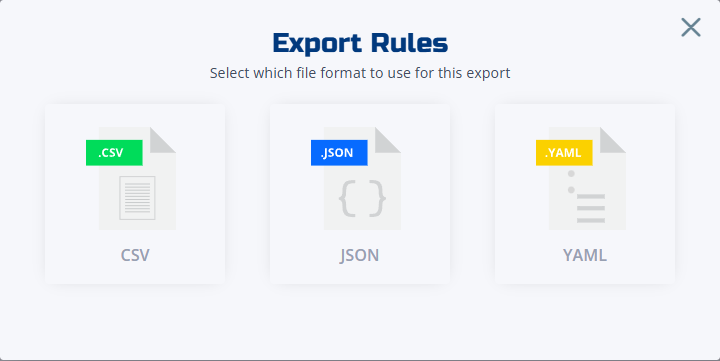
The system will prompt you to select a format (CSV, JSON, or YAML) and save the file to your local machine; you can later import it into another zLAN instance.
Importing Rules – Preview
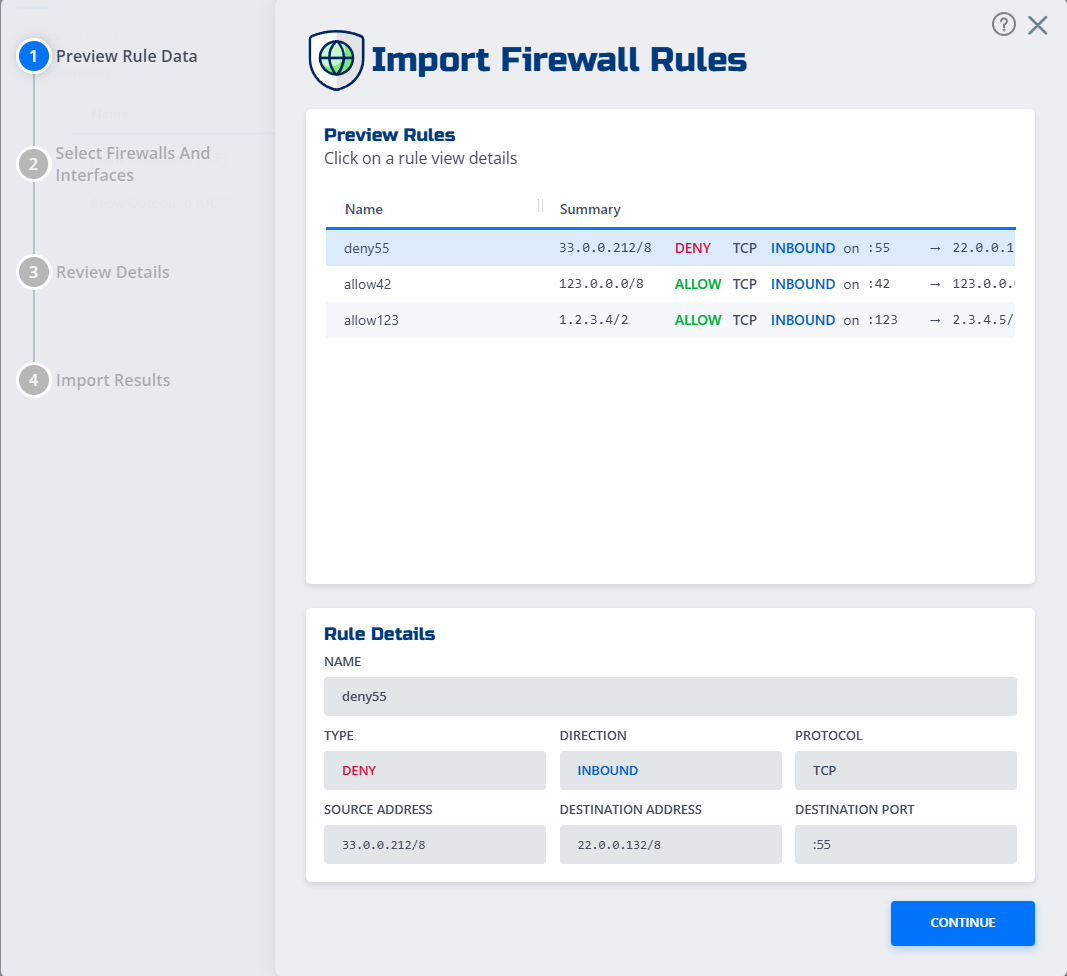
When importing, you first select a rule file, supported formats are CSV, JSON, and YAML. The console shows a preview of the rules that will be added or updated, highlighting any conflicts or validation errors. Review the preview carefully.
Importing Rules – Firewall Interface
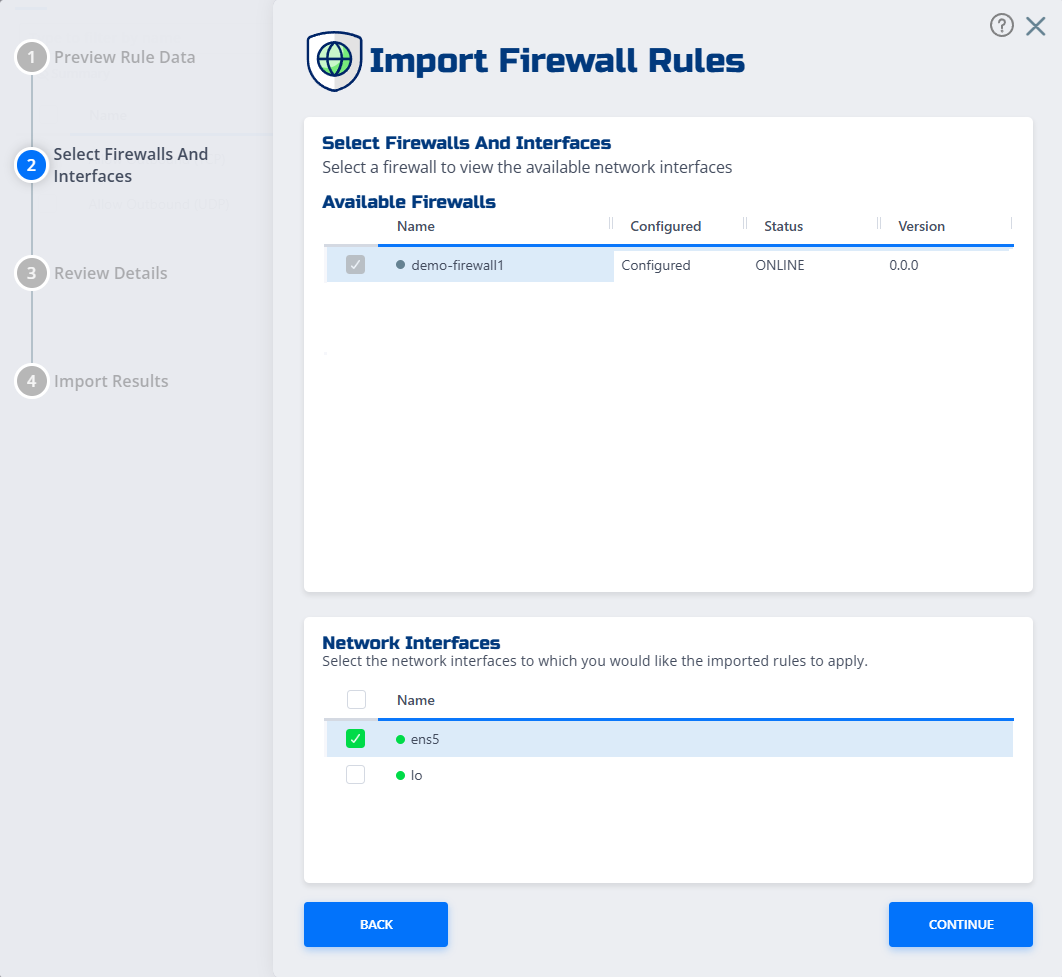
After confirming the preview, you will be taken to the firewall & interface page where you can select which firewall & interfaces the rules will be applied to.
Final Import Confirmation
Once you have selected the firewall interfaces, click Import to apply the changes to the firewall. The new rules become active immediately.
