Set up Google OAuth
Configure Google OAuth as an authentication provider for your zrok public frontend.
Configure the OAuth consent screen
Before creating an OAuth client ID, you must configure the OAuth consent screen in the Google Cloud Console.
-
Go to APIs & Services > Credentials > OAuth consent screen.
-
Configure your zrok public frontend's identity and branding.
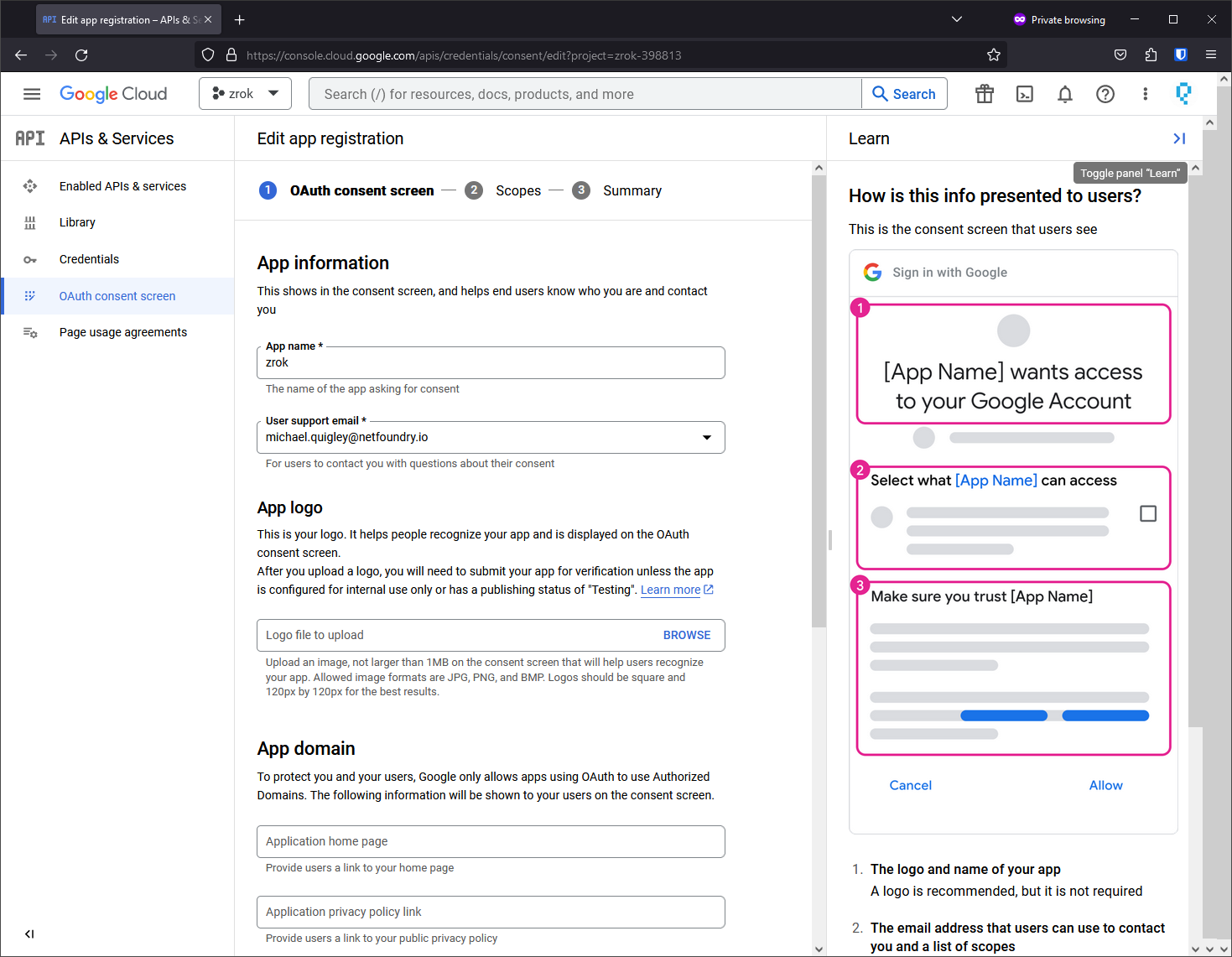
-
Add authorized domains and contact information.
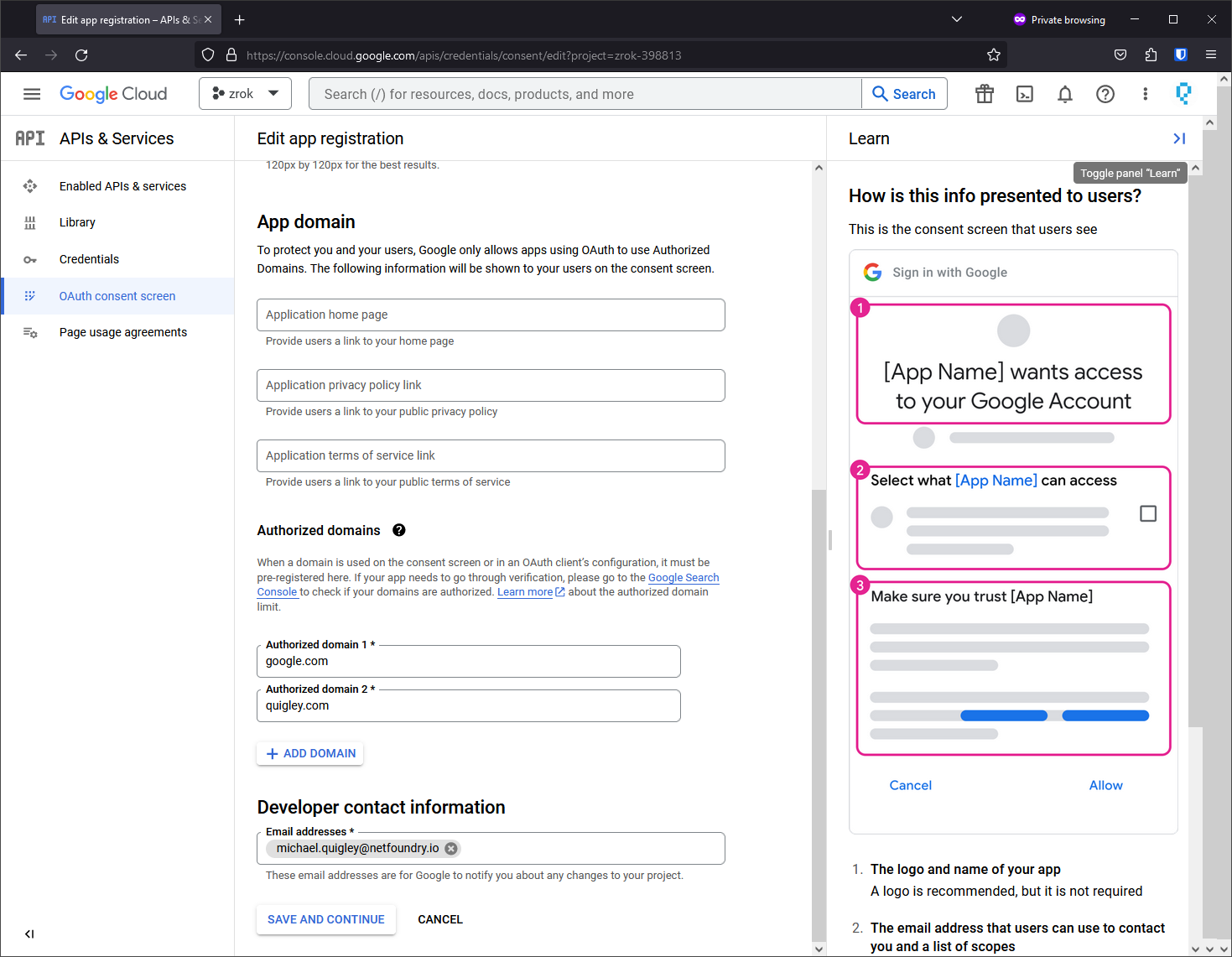
-
Add the
../auth/userinfo.emailscope (required for zrok to receive user email addresses).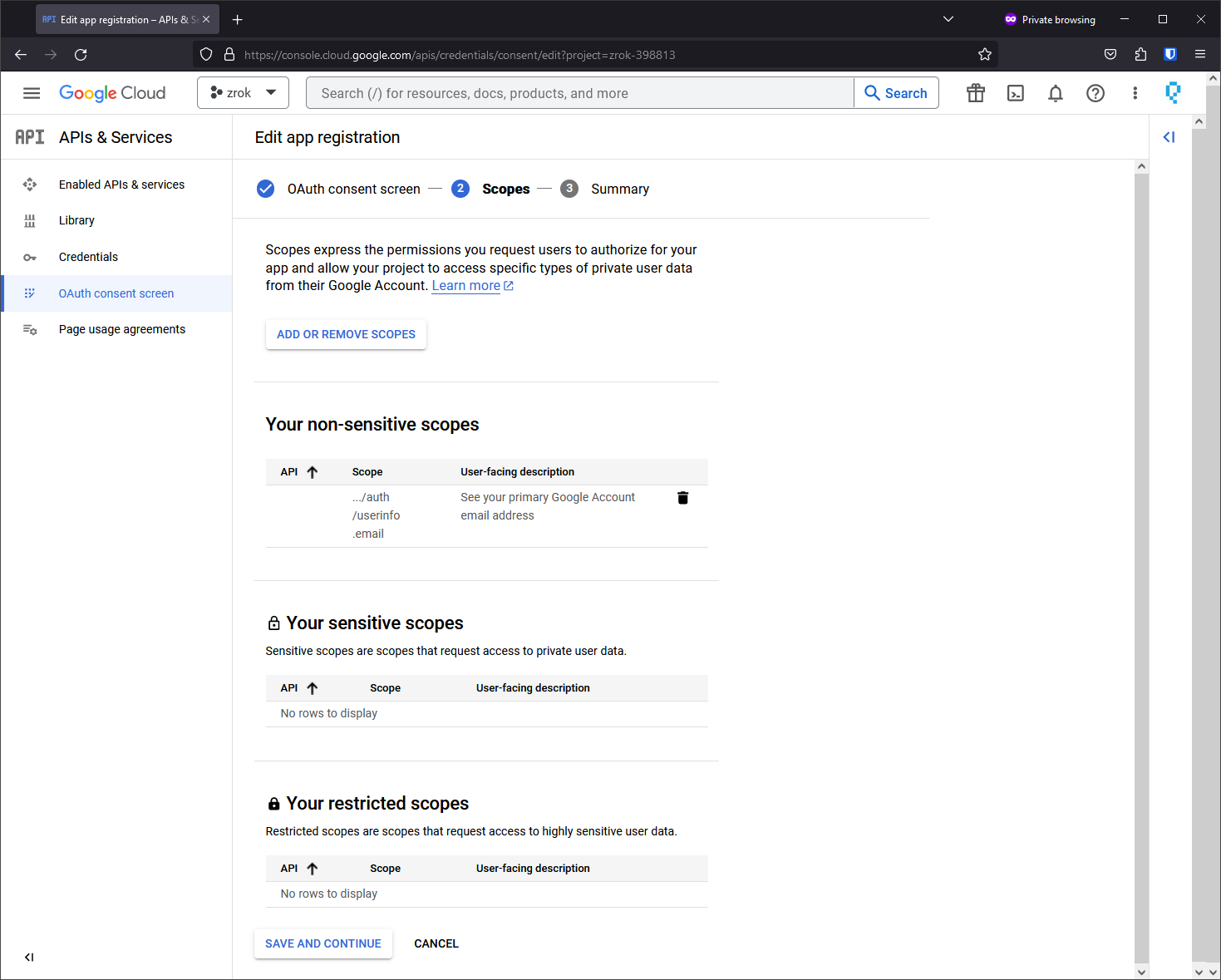
Create an OAuth 2.0 client ID
-
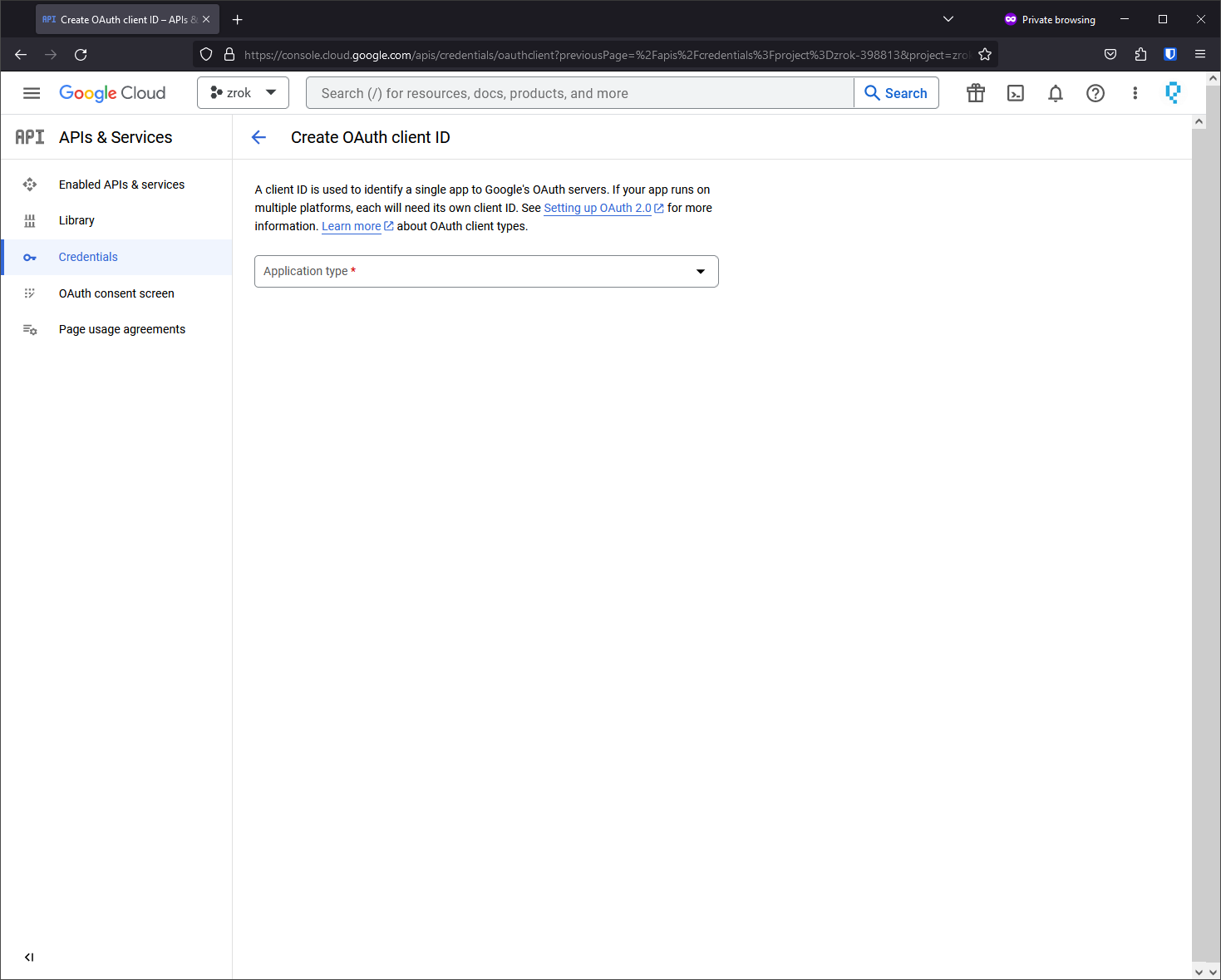
Go to APIs & Services > Credentials > + Create Credentials.
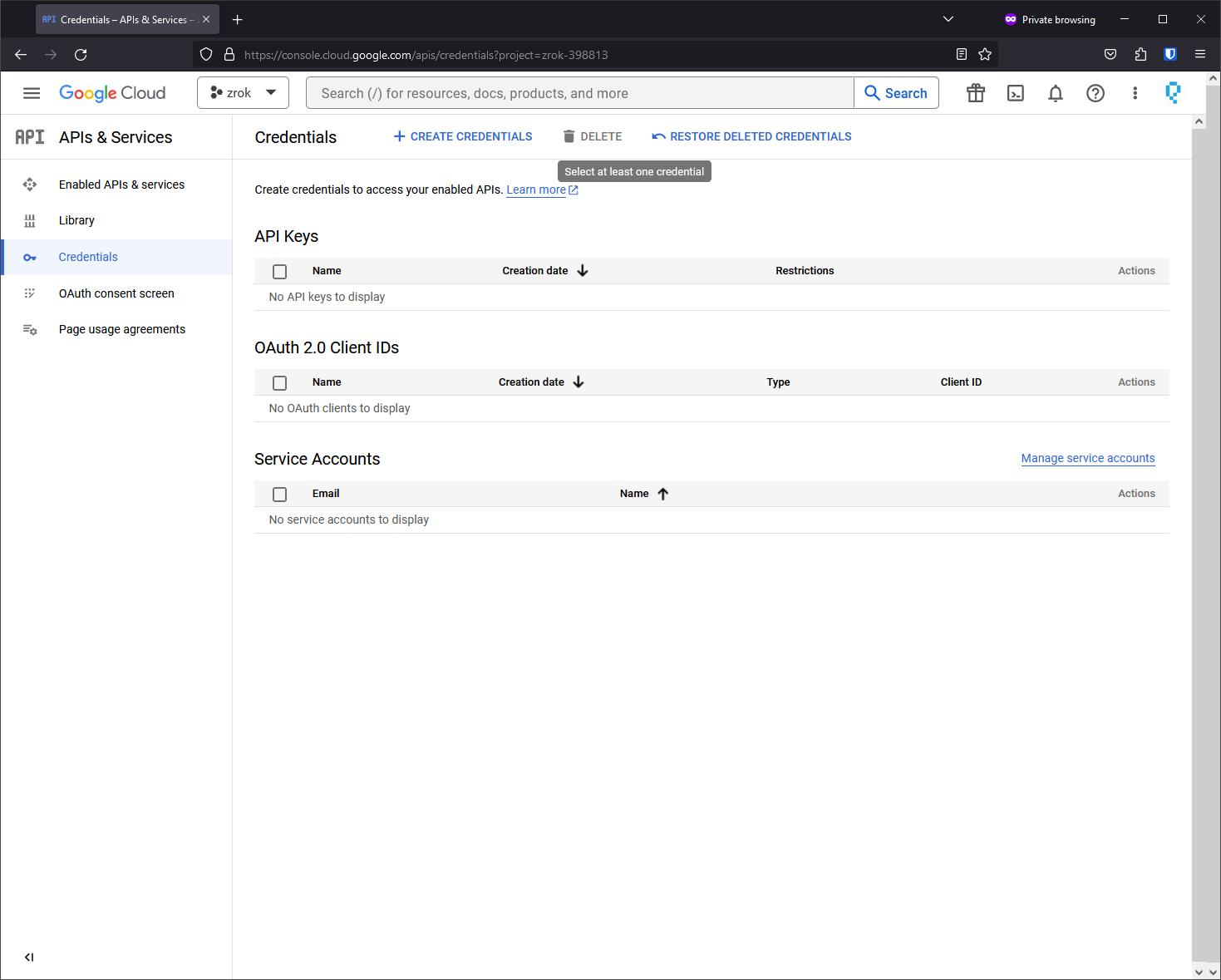
-
Select OAuth client ID.
-
Choose Web Application and configure the Authorized redirect URIs to match your OAuth frontend address with
/<provider-name>/auth/callbackappended.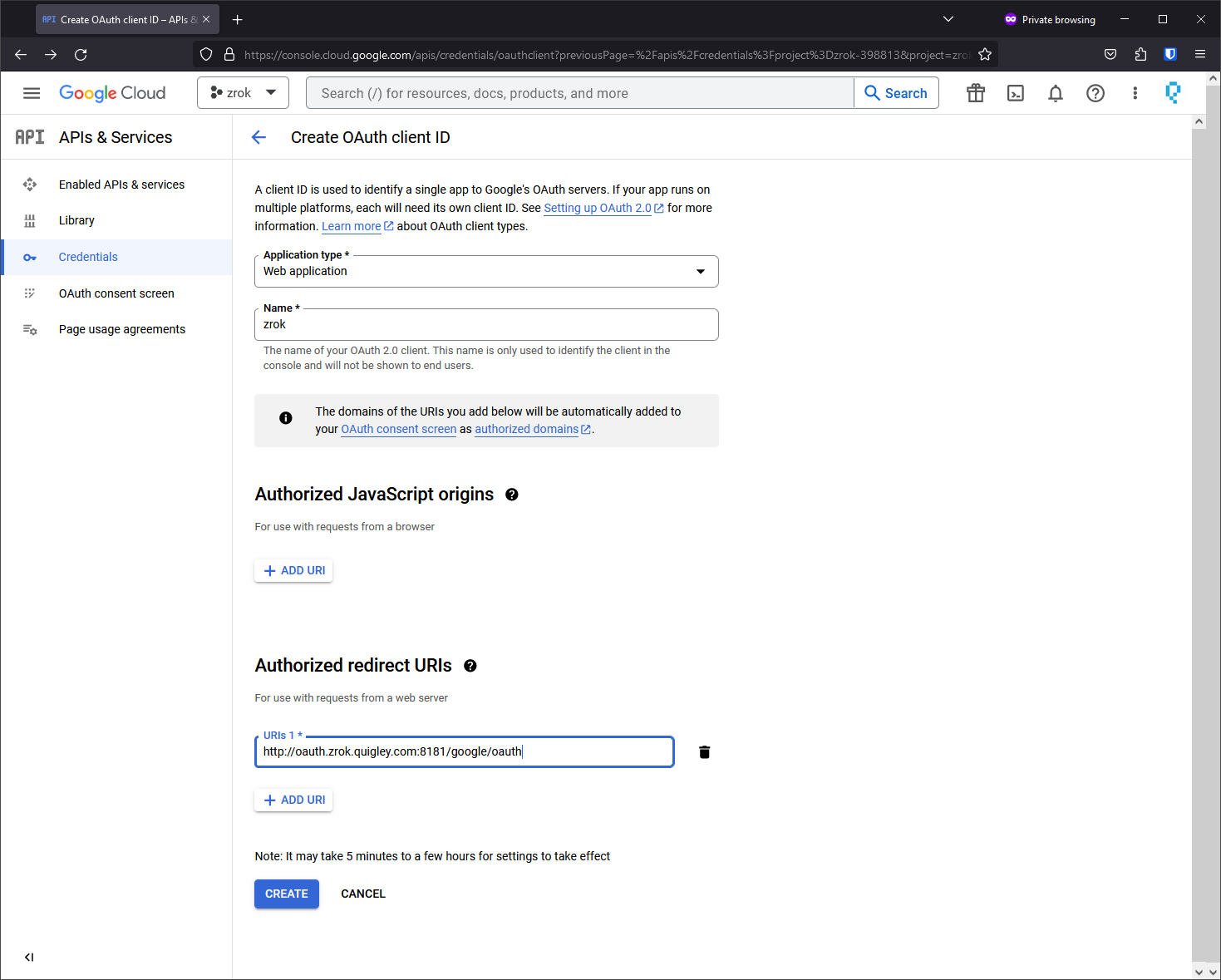
-
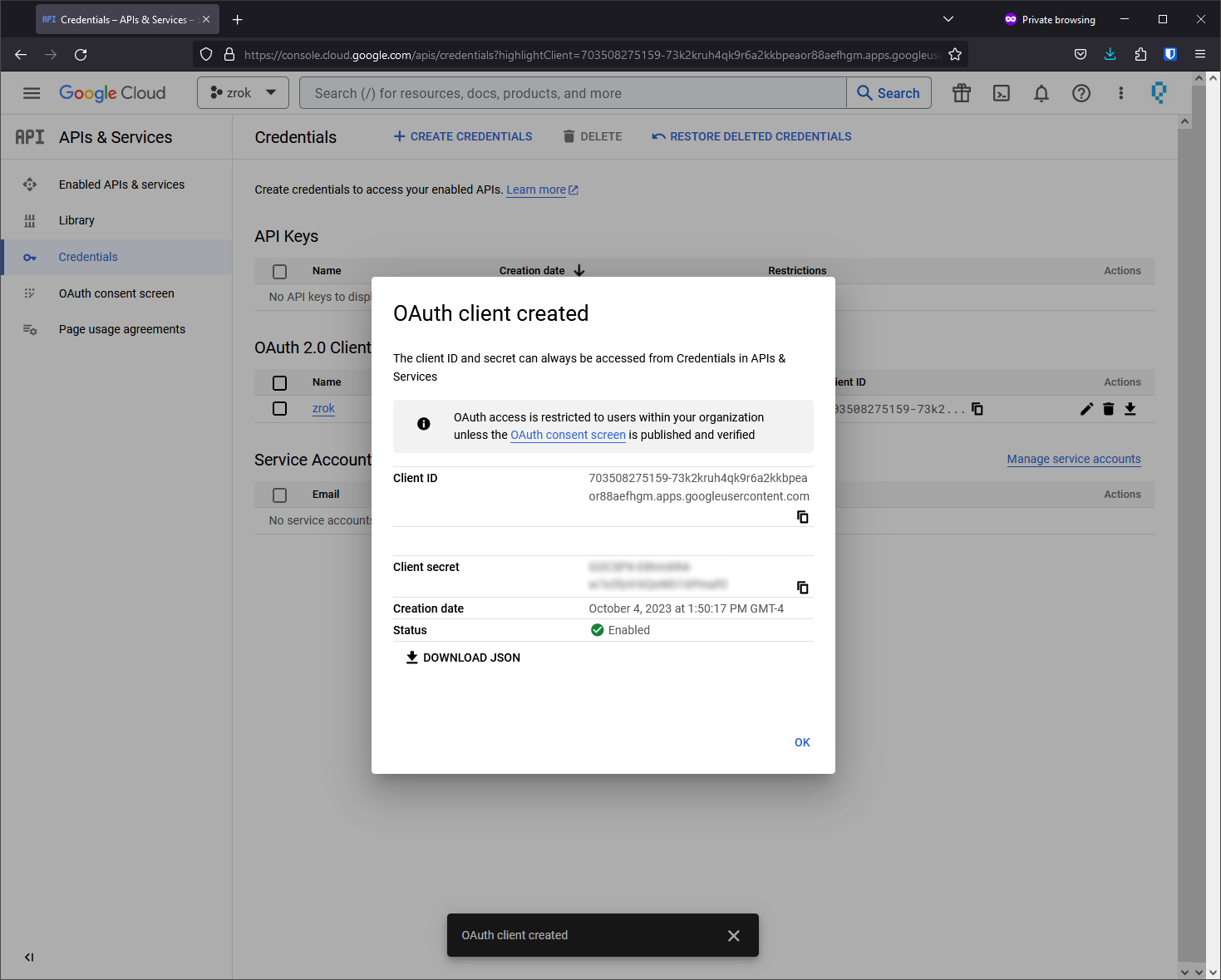
Click Create and save the client ID and client secret for your frontend configuration.
Add Google to your frontend configuration
Add the Google provider to your frontend.yml:
oauth:
  providers:
    - name: "google"
      type: "google"
      client_id: "<your-google-client-id>"
      client_secret: "<your-google-client-secret>"
Redirect URL format
For Google OAuth with the provider name "google", the redirect URL should be:
https://your-oauth-frontend-domain:port/google/auth/callback
If you use a different provider name (e.g., "google-corp"), the URL would be:
https://your-oauth-frontend-domain:port/google-corp/auth/callback