Set up GitHub OAuth
Configure GitHub OAuth as an authentication provider for your zrok public frontend.
Register OAuth application
-
Go to Settings > Developer Settings > OAuth Apps and click Register a new application.
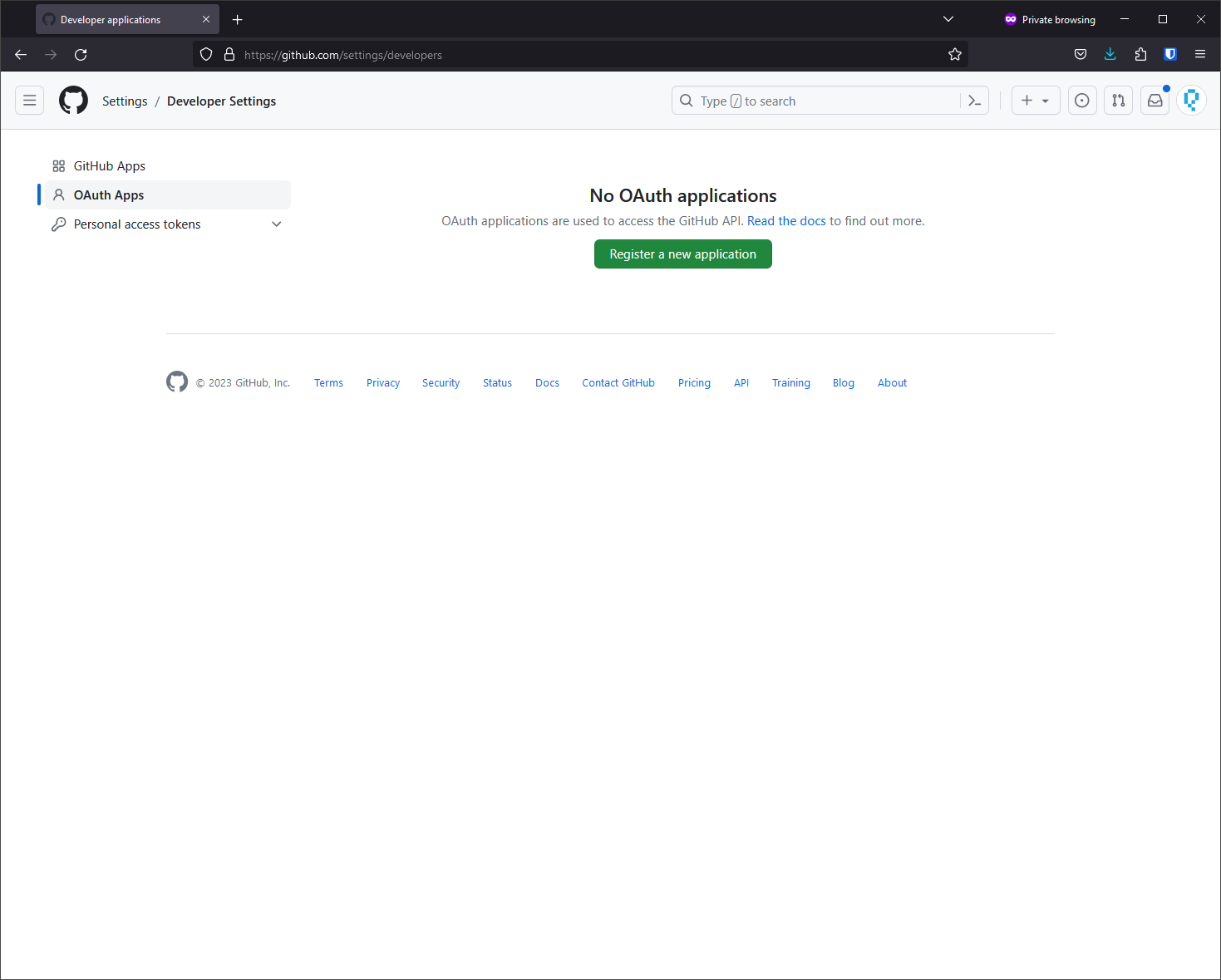
-
Fill in the application details, setting the Authorization callback URL to match your OAuth frontend address with
/<provider-name>/auth/callbackappended, then click Register application.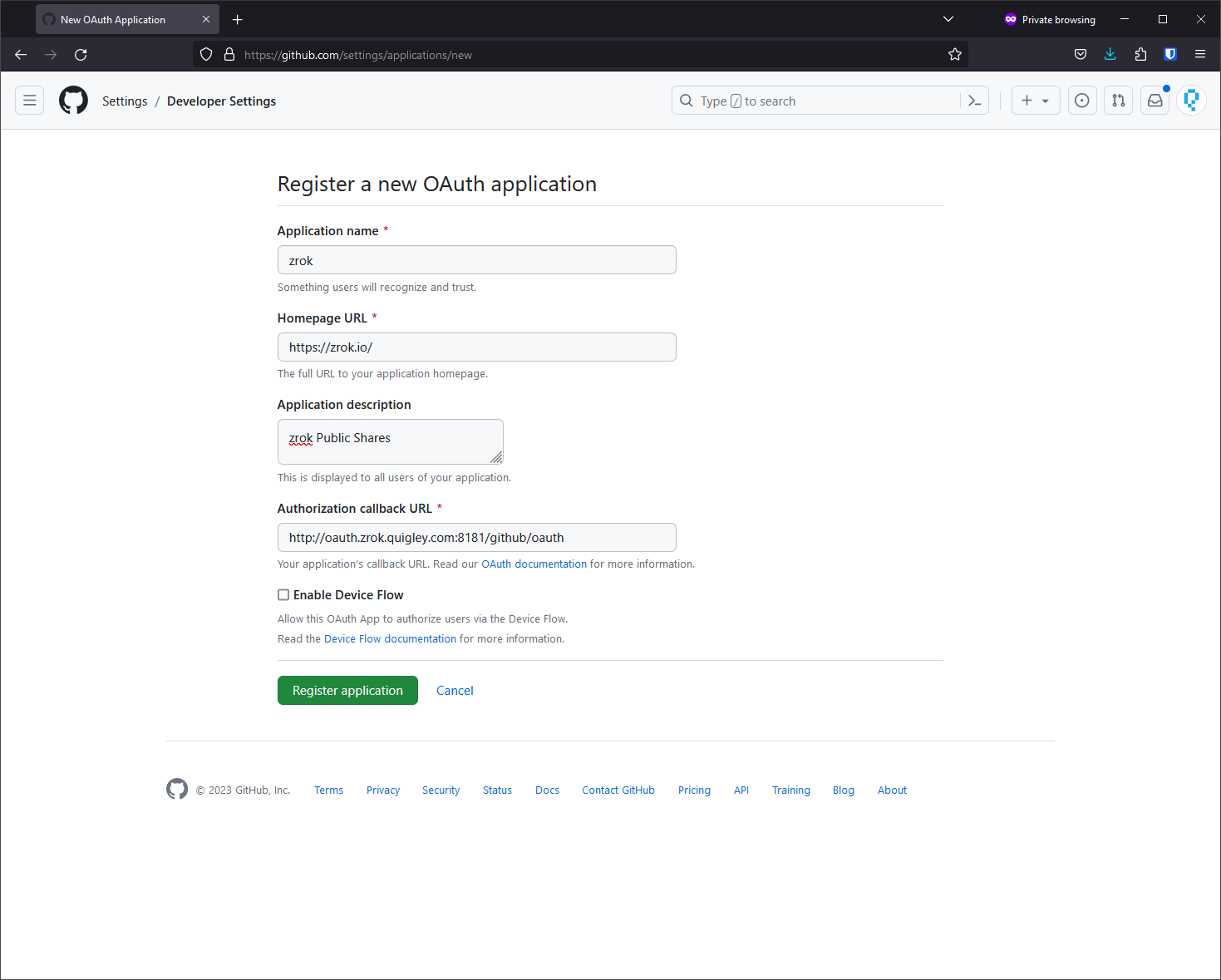
-
On the settings page, click Generate a new client secret.
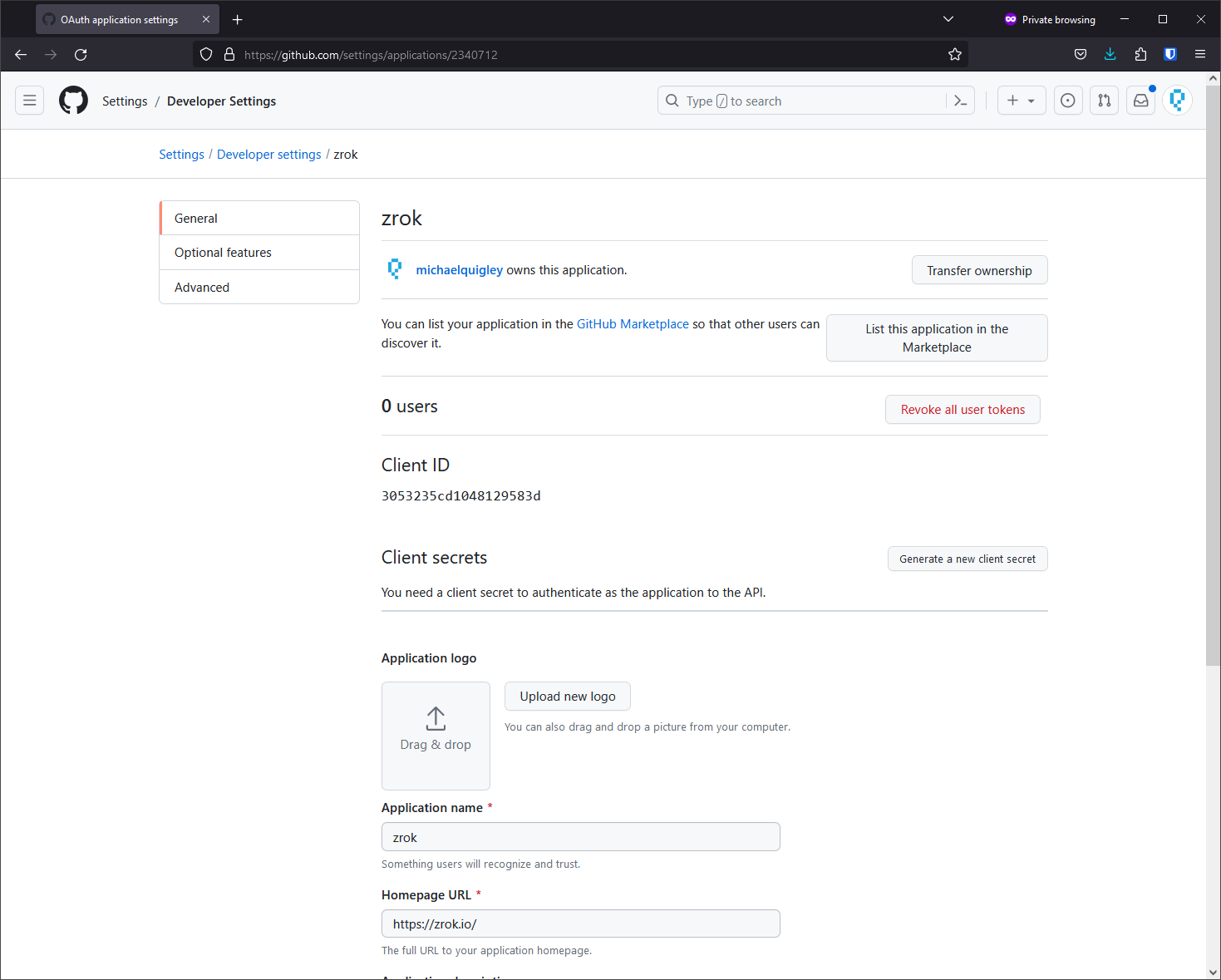
-
Save the client ID and client secret for your frontend configuration.
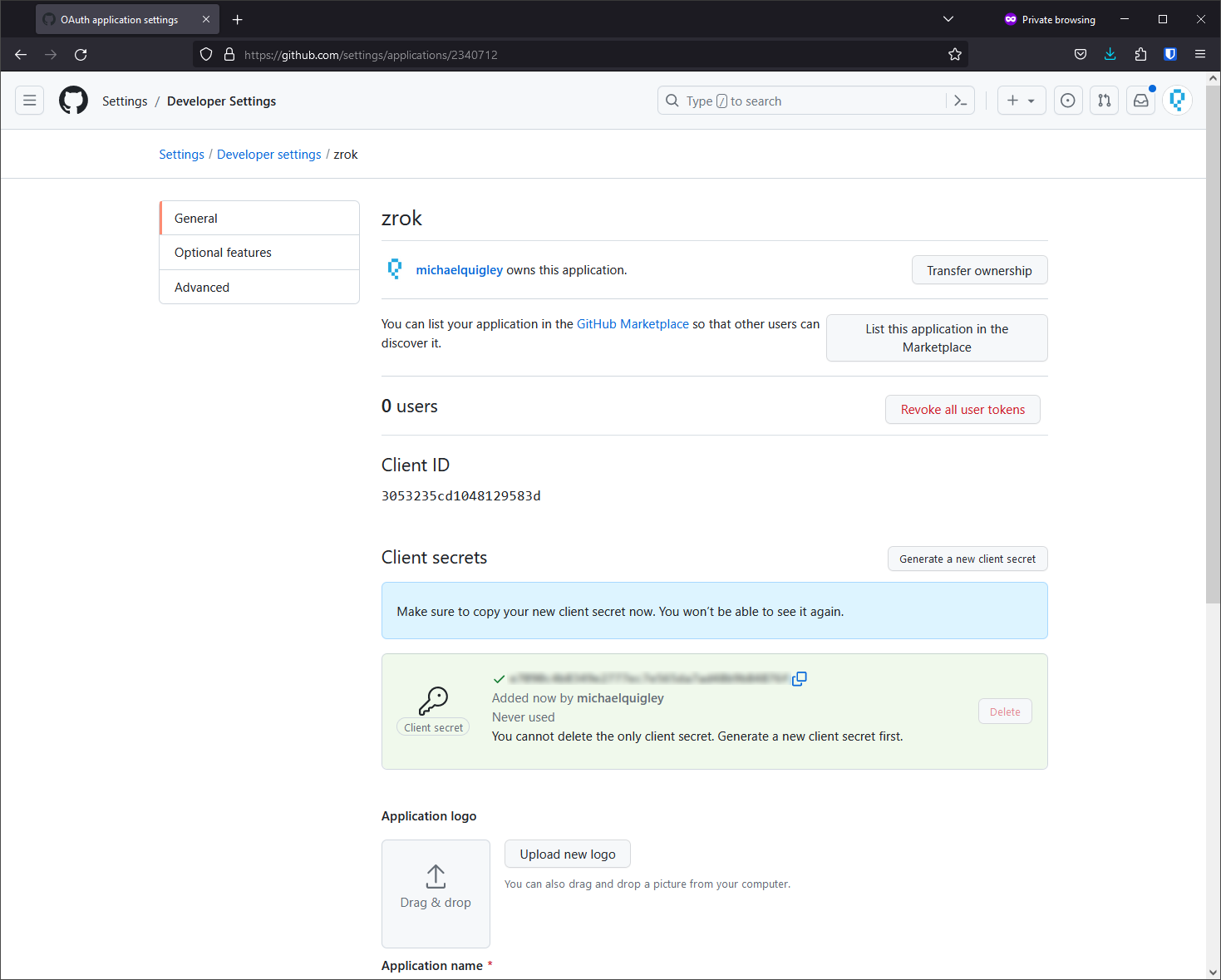
Add GitHub to your frontend configuration
Add the GitHub provider to your frontend.yml:
oauth:
  providers:
    - name: "github"
      type: "github"
      client_id: "<your-github-client-id>"
      client_secret: "<your-github-client-secret>"
Redirect URL format
For GitHub OAuth with the provider name "github", the redirect URL should be:
https://your-oauth-frontend-domain:port/github/auth/callback
If you use a different provider name (e.g., "gh-enterprise"), the URL would be:
https://your-oauth-frontend-domain:port/gh-enterprise/auth/callback