By URL
Starting with ZDEW 2.5.2+ and OpenZiti Controller 1.2+, you can add an identity to a Windows installation using
externally provided authentication. This process involves mapping an identity provided by an identity provider to
an OpenZiti identity using the external-id field as well as configuring an ext-jwt-signer.
Adding an identity by URL is very straightforward. Deliver the root URL of the OpenZiti controller to the user, and send them the following instructions.
Prerequisites
- OpenZiti Controller 1.2+.
- ZDEW 2.5.2+.
- An
external-jwt-provideris properly configured. - An identity exists with an
external-idfield set to a value provided from the external provider, or the external JWT signer has auto enrollment turned on (OpenZiti 2.0+, ZDEW 2.11.1.0+). - The OpenZiti Controller is configured to serve a pre-configured trusted certificate. The certificate must be verifiable by the OS without additional information such as using a widely trusted CA or the Windows administrator has added the certificate chain to the OS trust store.
Add the identity
To add an identity to Windows by URL, first start by clicking on the ADD IDENTITY button in the top right of the screen. After the context menu pops up, select the With URL option.
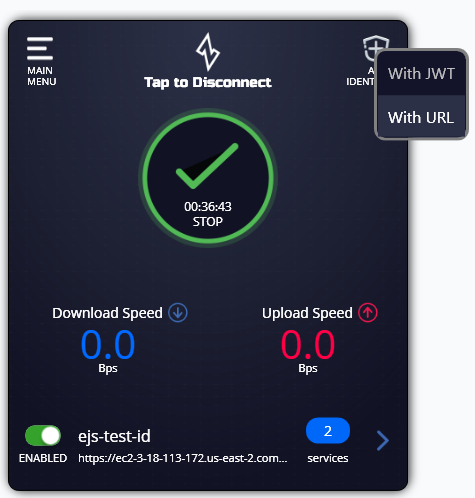
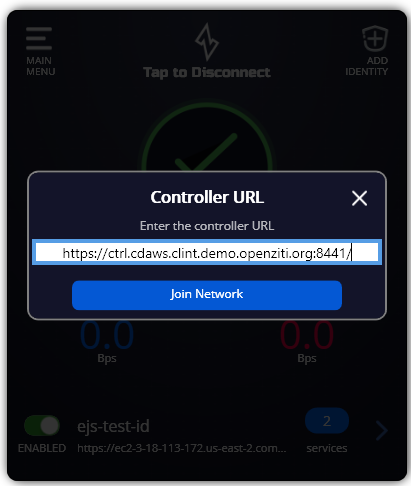
A dialog will appear. Enter a valid https URL to a controller and click the button to add the identity.
Authenticate to the network
Once an identity is added for a network leveraging an external provider, see Authenticating for more details about how to authenticate to the network.