Step 9: Reach your LAN web apps through one wildcard service

Your web apps already sit behind one name pattern on the LAN. One OpenZiti service with a wildcard intercept carries all of them. The Pi-hole's tunneler hosts it: it receives the connection from the overlay and opens a normal connection to whatever name the client asked for. Whatever answers there (NGINX, the app itself) works exactly as it does on the LAN, routing by hostname included.
No new router or tunneler is needed. It's one more service on the tunneler you already have.
This lab uses the UniFi controller at https://app1.home.lan:8443/ as the target. Use your own domain
and port. For an NGINX reverse proxy, that's usually *.home.lan on 443.
Identities and services
An identity is who: a client, or a machine running a tunneler. A service is what: a set of names or IPs plus ports, and the place the traffic leaves the overlay. One hosting identity can host any number of services. So the choice isn't "NGINX as one identity" against "every backend as its own identity". It's two separate choices:
- Which identity hosts the traffic. Here it's
dnslab-pihole, because its tunneler is already on the LAN and can reach every app. The apps themselves need no identity and no tunneler. - How finely you split services. That decides how finely you can grant access. One wildcard service means anyone with Dial on it reaches every app. If one person should reach UniFi but not the rest, make one service per app (same host config, a different intercept name each) and give each its own Dial policy.
Give a backend its own identity only to take NGINX (or the Pi-hole host) out of the path. You don't need that to start.
1. Check the hosting side can reach the target
The Pi-hole host makes the final connection, so it has to resolve and reach the app itself:
# on the Pi-hole host
getent hosts app1.home.lan
curl -skI https://app1.home.lan:8443/ | head -1
You want an IP and an HTTP status line. If either fails here, it fails over the overlay too.
2. Create the configs and the service
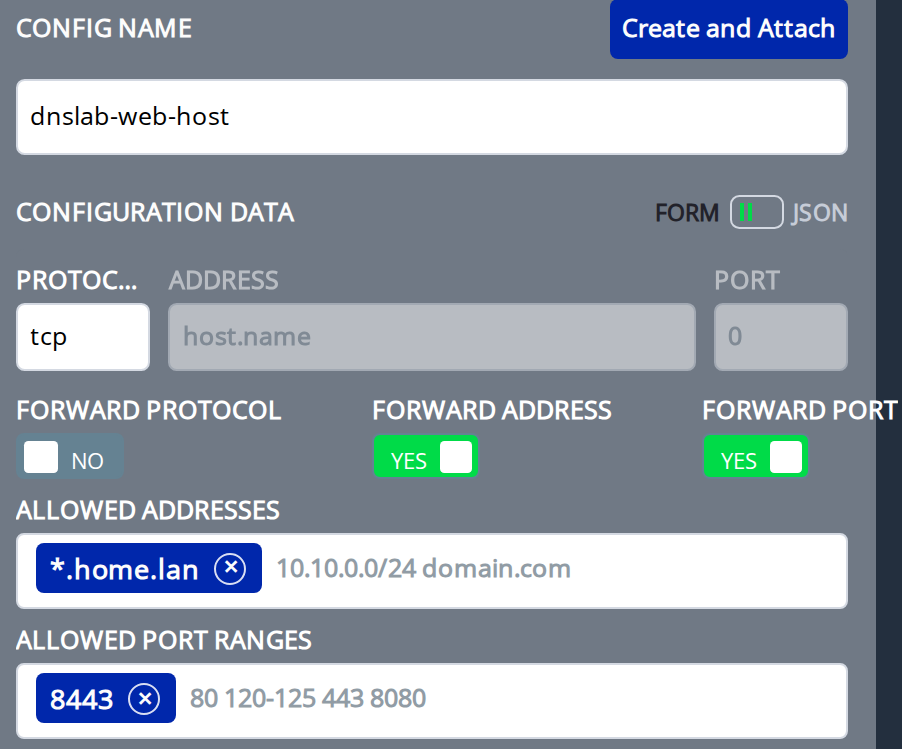
*.home.lanmatches every name under the domain, but not the bare domain itself.forwardAddressmakes the host side connect to the exact name the client dialed (app1.home.lan), not a fixed address.allowedAddresseslimits it to your domain, so a client can't use the Pi-hole host to reach anything else.forwardPortdoes the same for the port, limited byallowedPortRanges.
- ziti CLI
- ZAC
ziti edge create config dnslab-web-intercept intercept.v1 \
  '{
    "protocols": ["tcp"],
    "addresses": ["*.home.lan"],
    "portRanges": [{"low": 8443, "high": 8443}]
  }'

ziti edge create config dnslab-web-host host.v1 \
  '{
    "protocol": "tcp",
    "forwardAddress": true,
    "allowedAddresses": ["*.home.lan"],
    "forwardPort": true,
    "allowedPortRanges": [{"low": 8443, "high": 8443}]
  }'

ziti edge create service dnslab-web \
  --configs dnslab-web-intercept,dnslab-web-host \
  --role-attributes dnslab-web
Under Services, click + and choose Create Advanced Service. Name it dnslab-web and give it the attribute
dnslab-web. As in step 3, create each config with the form fields and click Create and Attach.
The intercept.v1 config, dnslab-web-intercept: port range 8443, address *.home.lan, protocol TCP.
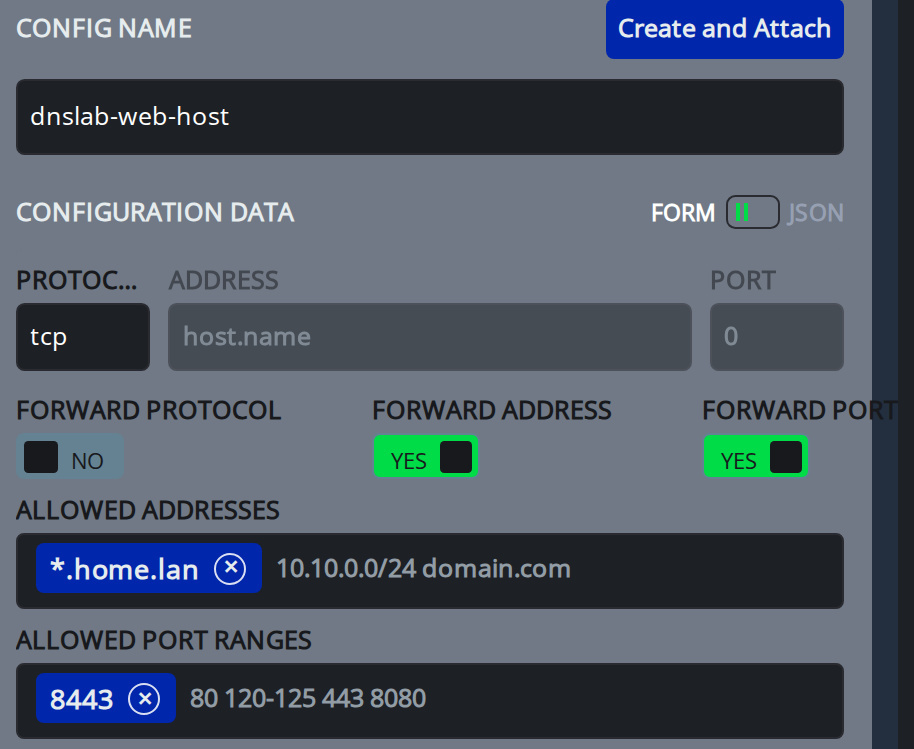
The host.v1 config, dnslab-web-host: protocol tcp, Forward Address and Forward Port on, allowed address
*.home.lan, allowed port range 8443:
Save the service.
3. Create the policies
- ziti CLI
- ZAC
ziti edge create service-policy dnslab-web-bind Bind \
  --service-roles '#dnslab-web' \
  --identity-roles '#dnslab-hosts'

ziti edge create service-policy dnslab-web-dial Dial \
  --service-roles '#dnslab-web' \
  --identity-roles '#dnslab-clients'
Under Policies > Service Policies, add a Bind policy dnslab-web-bind for #dnslab-web and #dnslab-hosts, and
a Dial policy dnslab-web-dial for #dnslab-web and #dnslab-clients. They match the step 4 policies, with
#dnslab-web in place of #dnslab-dns.
Check it from the controller:
ziti edge policy-advisor services -q dnslab-web dnslab-pihole
ziti edge list terminators 'service.name="dnslab-web"'
You want OKAY and one terminator.
4. Test from the client
Stay off your LAN, with the tunneler running.
nslookup app1.home.lan
Expect an address from the tunneler's own range (100.64.0.0/10 unless you changed it; here 100.150.0.48).
The tunneler's own resolver answers because the name matches the intercept. It answers before the Pi-hole is asked,
so this client ignores any Pi-hole local record for the same name.
Then open it:
curl -skI https://app1.home.lan:8443/
Or browse to https://app1.home.lan:8443/. You get the same page and the same certificate as on the
LAN, because the browser is still talking to the real app, by its real name.
At home
The intercept doesn't know whether you're home. On the LAN, these names still go through the overlay. That's usually what you want: one path everywhere, and access controlled by the Dial policy rather than by which network you're on. To reach an app directly at home, turn the tunneler off or use its LAN IP.
Done when
- The Pi-hole host resolves and reaches the target
- policy-advisor says
OKAYfordnslab-piholeondnslab-web, and a terminator exists - Off-LAN, the client resolves the name to an address in the tunneler's range
- Off-LAN, the client loads the app