Step 2: Put the DNS server on the overlay

The overlay can only send traffic to your Pi-hole if something on your LAN takes it off the overlay and hands it to
the Pi-hole. That "something" is a hosting identity. The simplest choice is a tunneler (ziti-edge-tunnel)
running on the Pi-hole box itself. A tunneler can hold identities from more than one network at once, so an existing
install is fine.
Create the identity
- ziti CLI
- ZAC
ziti edge create identity dnslab-pihole \
  --role-attributes dnslab-hosts \
  -o dnslab-pihole.jwt
Under Identities, add an identity named dnslab-pihole with the attribute dnslab-hosts:
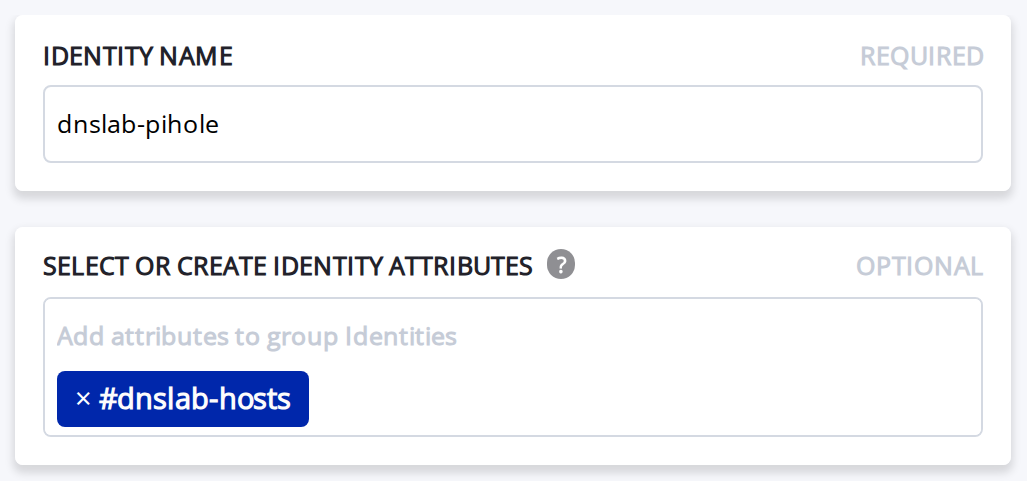
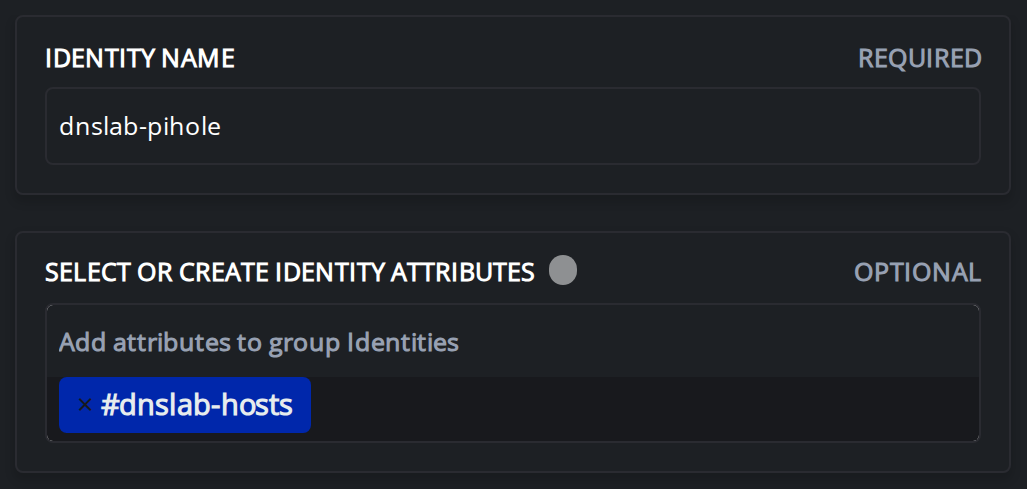
Save it, then download the JWT from the icon in the identity's Token column.
The dnslab-hosts attribute is how policies will refer to "the things that host lab services". Policies match on
attributes
(#dnslab-hosts), not names, so adding a second host later is just tagging it.
The JWT is single-use and expires (90 minutes on this network). If it expires, re-create the enrollment in ZAC or with
ziti edge create enrollment ott.
Enroll it on the Pi-hole
Copy the JWT to the Pi-hole, then:
sudo ziti-edge-tunnel add \
  --jwt "$(< /path/to/dnslab-pihole.jwt)" \
  --identity dnslab-pihole
Check it works
On the Pi-hole:
sudo ziti-edge-tunnel tunnel_status | jq -r '.Data.Identities[].Name'
dnslab-pihole should be in the list, next to any identities you already had.
On the controller (or ZAC -> Identities, look at the online indicator):
ziti edge list identities 'name="dnslab-pihole"'
If add fails
add hands the JWT to the running service over a local socket in /tmp/.ziti/.
-
Permission deniedbefore the sudo prompt: you wrote$(./file.jwt). It's$(< ./file.jwt)(read, don't run). -
cmd socket connect: Connection refusedorNo such file or directory: the service never opened its socket. Check the log forOne or more socket servers did not properly start. We hit this because/tmp/.zitiwas left over from an older install that ran as root (root:ziti, mode 750). The service now runs as userziti, so it couldn't create its sockets there. Fix:sudo rm -rf /tmp/.zitisudo systemctl restart ziti-edge-tunnelsudo ls -la /tmp/.ziti/ # two .sock files owned by ziti
Done when
dnslab-piholelisted bysudo ziti-edge-tunnel tunnel_status | jq -r '.Data.Identities[].Name'- Shows online in ZAC / the CLI (it can take a few seconds after enrolling)