Change the admin password
Follow these instructions to change your OpenZiti admin password. If you used one of the expressInstall
quickstarts, also update ZITI_PWD in ~/.ziti/quickstart/$(hostname -s)/$(hostname -s).env to match: that
variable is used by the zitiLogin function.
Use the ziti CLI
-
To use the CLI, you'll need to be logged in. Link to instructions
-
If a user identity has a password authenticator (
updb), you can change the password with the CLI.ziti edge update authenticator updb -s
Use the Ziti Console
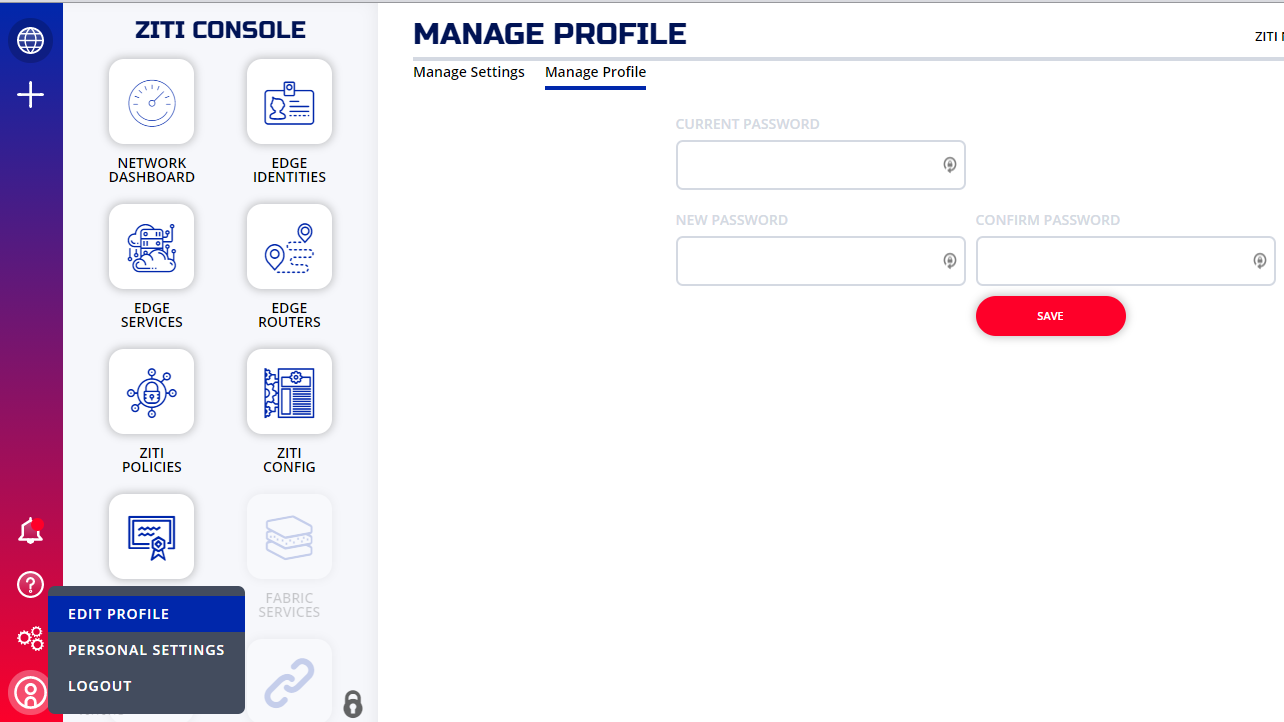
If you installed the console (ZAC) in your quickstart network then you can sign in with your current password and change it.
Click the person icon on the lower left and then click Edit Profile as shown to change your password.